What Is Pir Setting On Trail Camera?
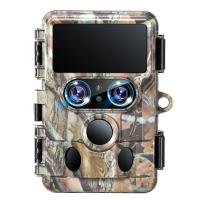
Trail cameras are incredibly useful tools, whether you’re monitoring wildlife, maintaining security on your property, or just want to see what kind of nocturnal critters wander through your backyard. One of the critical settings you’ll encounter when setting up your trail camera is the PIR setting. Let’s dive into what PIR actually is, how it works, and why configuring it correctly is the key to capturing only the footage you need while saving on battery life and memory card space.
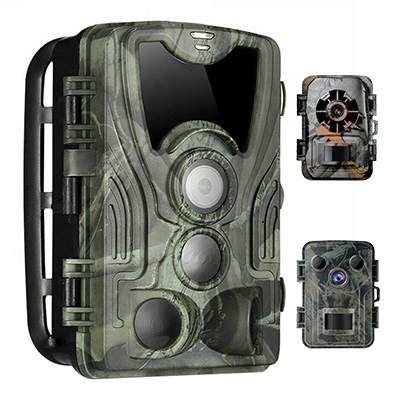
First Things First: What Is PIR?
PIR stands for Passive Infrared. This sensor is the heart of your trail camera’s motion detection system. Unlike traditional motion detection that relies on visual changes in the environment, a PIR sensor detects heat signatures and their movement within its field of view. When a warm object, like an animal or human, enters this detection zone, the PIR sensor triggers the camera to start recording or snapping photos. This system is energy-efficient and highly effective for outdoor environments, where lighting conditions can be inconsistent.
But here comes the tricky part: understanding how to fine-tune the PIR settings for optimal performance. Different cameras have different adjustments, but the basic parameters relate to sensitivity, range, and trigger speed.
Deciphering the PIR Settings
Let's break down the main aspects of PIR settings that you’re likely to adjust:
1. Sensitivity
PIR Sensitivity determines how easily the camera detects heat and movement. Setting it too high can cause the camera to trigger constantly, even with subtle temperature fluctuations like sunbeams moving through the trees or wind-rustled leaves. On the other hand, setting it too low might mean you miss smaller animals entirely or only capture footage of creatures that are quite close to the camera.
- *High Sensitivity*: Works well in cooler environments where warm-blooded animals create a big temperature contrast against the surrounding environment.
- *Low Sensitivity*: Ideal in hot climates or high-traffic areas, where you want to avoid false triggers due to non-animal-related movement.
2. Range
This determines how far the PIR sensor can detect movement. Some cameras allow you to set the detection range from short to long, giving you control over how much of the surrounding area is monitored. Longer ranges are great for capturing movement from farther away, but they can also lead to false triggers if the far-off motion isn’t what you’re looking to capture.
3. Trigger Speed
This is one of the more important settings that dictates how quickly your trail camera wakes up and starts recording after the PIR sensor detects motion. A quicker trigger speed is typically better since a sluggish trigger might capture only the tail-end of an animal or miss smaller, fast-moving creatures entirely.
4. Delay or Recovery Time
The delay refers to the time gap between consecutive triggers. Short delays are better in areas with less frequent activity but may lead to higher memory and battery use. Longer delays are often required in areas with frequent movement—such as feeding stations—to avoid filling your memory card with repetitive footage.
How PIR Settings Relate to Specific Use Cases
Still wondering how to pick the right combination of settings for your trail camera? Here are some scenarios to help you decide:
Tracking Wildlife on Remote Trails
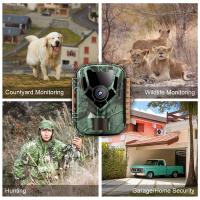
For capturing wildlife like deer, foxes, or bears, opt for a medium to high sensitivity setting, especially in the cooler months. A longer detection range works well if the animals are shy and avoid close contact. Be mindful of trigger speed, as it should be fast to ensure you don’t miss smaller or quicker animals. For delays, keep it moderate—5-10 seconds is a good starting point—so you don’t overload your SD card with redundant footage.
Monitoring a Backyard
If you’re using the trail camera in your backyard to see owls, raccoons, or possums, go for medium sensitivity settings. Since your backyard likely has less open space than a forest, a short to medium range is preferable. Trigger speeds can be slightly slower unless you're particularly interested in fast-moving squirrels or birds. Delay times can be longer, as often backyard monitoring is less time-sensitive.
Security Use
Many people use trail cameras for security purposes around their property. In this case, high sensitivity and shorter trigger speeds are often essential. Use a medium to long detection range, depending on how much of your property you want to monitor. Delays between captures should be minimal—1-3 seconds—to make sure you cover as much activity as possible.
Common Mistakes to Avoid
1. Setting the Sensitivity Too High: Sure, you captured 37,000 clips today, but 35,000 of them involve the wind nudging a fern or a hot patch of sunshine moving across the screen. Be realistic about the area and density of activity where you're placing your camera.
2. Forgetting About Ambient Temperature: In hotter climates, warm-bodied animals blend in with their surroundings, making it harder for the PIR sensor to distinguish them. Reduce sensitivity or reposition the camera to optimize detections.
3. Improper Mounting Height: The PIR sensor is built to detect movement at a certain height. If you're aiming your camera too high or low, you might miss the sweet spot where the critters are traipsing through.
4. Overlooking Test Mode: Most trail cameras allow you to test the PIR settings. This feature often involves walking past the camera yourself to verify the detection area and trigger precision. Don’t skip this! It can save you hours of frustration down the road when you discover your settings were “technically recording the wind.”
The Balancing Act
Trail cameras might sound simple enough, but tuning the PIR settings takes a bit of trial and error. It’s like adjusting a graphic equalizer on an audio system: there’s no one-size-fits-all solution, and the “right” settings depend on your goals, the environment, and the type of activity you want to capture.
Plus, don't forget about common sense. If you're still not capturing what you're hoping for, reposition the camera. Perhaps there's an issue with the angle, the height, or even a nearby heat source (like a rock that bakes in the sun all day). Fine adjustments often yield noticeable improvements.
In Summary
Understanding the PIR setting on a trail camera isn’t just about flipping switches or moving sliders—it’s about maximizing efficiency and ensuring your activities, whether for wildlife monitoring or home security, are tailored perfectly to your needs. The perfect combination of PIR sensitivity, range, trigger speed, and delay times will depend on your specific use case. A little patience and experimentation with these settings will ensure you capture everything you want...and fewer "ghost" recordings of windy afternoons.
And who knows? You might discover that the raccoons in your backyard hold nightly wrestling matches, or that the deer on your trail give new meaning to the phrase “deer in headlights.” Either way, you’re in for some surprises!