kfconcept

K&F Concept UK
K&F Concept United Kingdom    Blog >

Enjoy Your Selected Digital Life

Recently Viewed
  • Recently Viewed
  • 62mm Variable ND Filter ND2-ND400 Multi Coated Neutral Density Filter Optical Glass with Blue Coating for DSLR Camera Lens Slim Nano-Klear
    62mm Variable ND Filter ND2-ND400 Multi Coated Neutral Density Filter Optical Glass with Blue Coating for DSLR Camera Lens Slim Nano-Klear
    £29.99
    40.5mm Variable ND Filter ND2-ND400 Multi Coated Neutral Density Filter Optical Glass with Blue Coating for DSLR Camera Lens Slim Nano-Klear
    40.5mm Variable ND Filter ND2-ND400 Multi Coated Neutral Density Filter Optical Glass with Blue Coating for DSLR Camera Lens Slim Nano-Klear
    £23.99
    82mm True Color Ultra-Low Reflectivity CPL Filter Polarizer Lens Filter Circular Polarizing for Camera Lenses with 28 Multi-Coated Nano-Xcel Series
    82mm True Color Ultra-Low Reflectivity CPL Filter Polarizer Lens Filter Circular Polarizing for Camera Lenses with 28 Multi-Coated Nano-Xcel Series
    £82.99
Compare (0) 0
  • Compare
  • You have not chosen any products to compare.

  • Compare
Currency: GBP
  • Currency

Log Into Your Account

Account

Order History

Wish List

Login

Forgotten Password?

Or connect with

Register Account

Already have an Account?Log In

  • Shopping Cart
  • Your shopping cart is empty!

  • Register/Login to purchase, earn points
  • Favorite
  • Your wish list is empty.

  • Register/Login to like, earn points
  • Tripods
    • Aluminum Tripods
    • Carbon Fiber Tripods
    • Travel Tripods
    • Video Tripods
    • Monopods
    • Lightweight Tripods
    • Mini Tripod
    • Tripod Accessories
    • Gimbal Stabilizers
    • Tripod Head
    • Tripod Kit
    • Action Camera Mounts
    • Phone Tripods
    • Studio Parts
      • Camera Flash
      • Photography Fill Light
      • Ring light
      • Soft Box
      • Tripod Light Stands
      • Reflectors
    • Clearance Tripods
  • Lens Filters
    • UV Filters
      • Nano-Xcel Series
        • MCUV
        • Ultra-low Reflectivity MCUV Filters
        • MCUV Super Hard
        • Explosion-proof MCUV - Nano-Xcel
        • MCUV+Lens Cap+Cleaning Cloth
        • Super Hard&Ultra Low Reflection MCUV Filters - Nano-Xcel
        • MCUV - Magnetic Series
      • Nano-Dazzle Series
        • MCUV
        • MCUV+Lens Cap+Cleaning Cloth
      • Nano-Klear Series
        • MCUV
        • Ultra Thin Frame MCUV Filters
        • MCUV+Lens Cap+Cleaning Cloth
      • Nano-Xcel Pro Series
        • MCUV
    • CPL Filters
      • Nano-Xcel Series
        • CPL
        • CPL True Color
        • Ultra-low Reflectivity CPL
        • CPL+Lens Cap+Cleaning Cloth
        • Magnetic CPL
          • Magnetic CPL + Apater ring + Cap - Nano-X
        • True Color Ultra-low Reflectivity CPL - Nano-Xcel
      • Nano-Dazzle Series
        • CPL
        • CPL+Lens Cap+Cleaning Cloth - Nano-Dazzle
      • Nano-Klear Series
        • CPL
        • Ultra Thin Frame CPL Filters
        • CPL+Lens Cap+Cleaning Cloth
        • CPL+Lens Cap - Nano-Klear
      • Nano-Xcel Pro Series
        • CPL
    • Neutral Density Filters
      • Neutral Density (Solid) Filters
        • ND8 (3 stops) - Nano-Xcel Series
        • ND64 (6 stops) - Nano-Xcel Series
        • ND1000 (10 stops) - Nano-Xcel Series
        • ND100000 (16.6 stops) - Nano-Xcel Series
        • ND1000000 (20 stops) - Nano-Xcel Series
        • ND100000 (16.6 stops) - Nano-Klear Series
        • ND1000000 (20 stops) - Nano-Klear Series
        • Solid ND - Magnetic Series
      • Graduated Neutral Density
        • 100mm GND Filter
          • Soft GND8 Filters - Nano-Xcel Series
          • Hard GND8 Filters - Nano-Xcel Series
          • Reverse GND8 Filters - Nano-Xcel Series
          • Soft GND16 Filters - Nano-Xcel Series
          • Reverse GND16 Filters - Nano-Xcel Series
          • Soft GND8 Filters - Nano-Xcel Pro Series
          • Hard GND8 Filters - Nano-Xcel Pro Series
          • Reverse GND8 Filters - Nano-Xcel Pro Series
          • Soft GND16 Filters - Nano-Xcel Pro Series
          • Reverse GND16 Filters - Nano-Xcel Pro Series
        • Circular GND Filter
          • GND8
          • GND16
      • 2 in 1 Filters
        • ND2-ND32&CPL Filters - Nano-Xcel Series
        • ND2-ND32&CPL Filters - Nano Dazzle Series
        • ND2-32&CPL Filters - Nano-Klear Series
        • ND2-ND32&CPL Filter - Nano-X Pro
        • ND2-ND32&CPL True Color Filters - Nano-Xcel Series
        • ND4-ND64&CPL Filter
      • 3 in 1 Filters
        • ND2-32&CPL&Black Mist 1/4 Filters - Nano-Xcel Series
        • ND2-32&CPL&Black Mist 1/4 Filters - Nano-Klear Series
      • Variable Neutral Density
        • Nano-Xcel Series
          • ND2-ND32 - Nano-Xcel
          • ND2-ND32 True Color - Nano-Xcel
          • ND2-ND400 - Nano-Xcel
          • ND8-ND128 - Nano-Xcel
          • ND32-ND512 - Nano-Xcel
          • ND3-ND1000 - Nano-Xcel
          • ND2-32 True Color Ultra-Low Reflection - Nano-Xcel
          • ND2-400 Ultra-Low Reflection - Nano-Xcel
        • Nano-Dazzle Series
          • ND2-ND32 - Nano-Dazzle
          • ND2-ND400 - Nano-Dazzle
          • ND3-ND1000 - Nano-Dazzle
          • ND8-ND2000 - Nano-Dazzle
        • Nano-Klear Series
          • ND2-ND32 - Nano-Klear
          • ND2-ND400 - Nano-Klear
          • ND2-ND2000 - Nano-Klear
          • True Color ND2-ND400 - Nano-Klear
        • Nano-Xcel Pro Series
          • ND2-ND32 - Nano-Xcel Pro
        • Nano-B Series
          • ND2-ND400 - Nano-B
    • Black Mist & Soft Focus Filters
      • Black Mist Filters
        • Black Mist 1/8
          • Black Mist 1/8 - Nano-Xcel Series
          • Black Mist 1/8 - Nano-Dazzle Series
          • Black Mist 1/8 - Nano-Klear Series
          • Black Mist 1/8 - Nano-Xcel Pro Series
          • Black Mist 1/8+Lens Cap+Cleaning Cloth - Nano-Klear Series
        • Black Mist 1/4
          • Black Mist 1/4 - Nano-Xcel Series
          • Black Mist 1/4 - Nano-Dazzle Series
          • Black Mist 1/4 - Nano-Klear Series
          • Black Mist 1/4 - Nano-Xcel Pro Series
          • Black Mist 1/4+Lens Cap+Cleaning Cloth - Nano-Klear Series
        • Black Mist 1/2
          • Black Mist 1/2 - Nano-Xcel Series
          • Black Mist 1/2 - Nano-Klear Series
        • Black Mist 1
          • Black Mist 1 - Nano-Xcel Series
          • Black Mist 1 - Nano-Klear Series
        • Black Mist Kit
          • Black Mist 1/4 + 1/8 Nano Xcel Series
          • Black Mist 1/4 + 1/8 - Nano Klear Series
          • Black Mist 1/4 + CPL - Nano Klear Series
        • Black Mist & CPL
          • Black Mist 1/4&CPL - Nano-Klear Series
        • Black-Mist & VND
          • Black Mist 1/4 & ND2-32 Filters - Nano-Klear Series
          • Black Mist 1/4 & ND2-400 Filters - Nano-Xcel Series
          • Black Mist 1/4 & ND2-32 Filters - Nano-Xcel Series
          • Black Mist 1/8 & ND2-32 Filters - Nano-Klear Series
          • Black Mist 1/4 & ND2-400 Filters - Nano-Klear Series
      • White Mist Filters
        • White Mist 1/4 - Nano-Xcel Series
        • White Mist 1/4 - Nano-Klear Series
      • Shimmer Diffusion
        • Shimmer Diffusion 1 - Nano-Xcel Series
        • Shimmer Diffusion 1 - Nano-Klear Series
    • Light Pollution Cut Filter
      • Light Pollution Cut Filter - Circular
      • Light Pollution Cut Filter - Square
    • Magnetic Lens Filters
      • MCUV Filters
        • Magnetic MCUV - Nano-Klear Series
        • Magnetic MCUV+Lens Caps - Nano-Xcel Series
      • CPL Filters
        • Magnetic CPL + Adapter Ring
        • Magnetic CPL+Adapter Ring - Nano-Klear Series
      • Black-Mist
        • Black Mist 1/8 Filters - Nano-Xcel Series
        • Black Mist 1/4 Filters - Nano-Xcel Series
      • Neutral Density (Solid) Filter
        • Magnetic ND8 - Nano-Xcel Series
        • Magnetic ND64 - Nano-Xcel Series
        • Magnetic ND1000 - Nano-Xcel Series
      • Unlimited Variable ND Filter
        • Magnetic ND2-ND32 - Nano-Xcel Series
        • Magnetic ND8-ND128 Filters - Nano-Xcel Series
      • Accessories
        • Magnetic Adapter Ring
        • Magnetic Filter Ring
        • Magnetic Cap
      • Kits
        • MCUV+CPL+ND1000+Adapter Ring - Nano-Xcel Series
        • CPL+ND8+ND64+Adapter Ring+Lens Cap - Nano-Xcel Series
        • GND8+ND8+ND64+ND1000+Adapter Ring - Nano-Xcel Series
        • CPL+VND2-32+Black Mist 1/4+Magnetic Ring+Lens Cap - Nano-Xcel Series
    • Square Filter System
      • Basic System
        • Square ND Filters
          • ND4 Filters - Nano-Xcel Series
          • ND16 Filters - Nano-Xcel Series
          • ND1000 Filters - Nano-Xcel Series
          • ND2000 Filters - Nano-Xcel Series
          • ND32000 Filters - Nano-Xcel Series
          • Full Color ND8 Filters - Nano-Xcel Series
          • Full Color ND64 Filters - Nano-Xcel Series
        • Square GND Filters
        • Light Pollution Cut Filter
          • Light Pollution Cut Filter - Nano-Xcel Series
        • Square Black Mist Filters
          • Square Black Mist 1 - Nano-Xcel Series
          • Square Black Mist 1/4 - Nano-Xcel Series
          • Square Black Mist 1/8 - Nano-Xcel Series
        • Brackets and Accessories
          • Adapter Ring - Nano-Xcel Series
        • Kits
          • 100mm Square Filter System - Nano-Xcel Series
          • 100mm ND1000+Holder Kit - Nano-Xcel Series
          • 100mm ND1000+Soft GND8+Holder Kit - Nano-Xcel Series
          • 100mm Soft GND8+Holder Kit - Nano-Xcel Series
      • Professional System
        • ND
          • Full Color ND8 Filters - Nano-Xcel Pro Series
          • Full Color ND64 Filters - Nano-Xcel Pro Series
          • Full Color ND1000 Filters - Nano-Xcel Pro Series
        • GND
        • PL
        • Black Mist 1/4&CPL - Nano-Xcel Pro Series
        • Light Pollution Cut Filter
          • Light Pollution Cut Filter - Nano-Xcel Pro Series
        • Kits
          • 100mm ND1000+Holder Kit - Nano-Xcel Pro Series
          • 100mm ND1000+Soft GND8+Holder Kit - Nano-Xcel Pro Series
          • 100mm ND8+ND64+ND1000+Holder Kit - Nano-Xcel Pro Series
          • 100mm Holder Kit - Nano-Xcel Pro Series
        • Brackets and Accessories
          • 100x100mm Square Filter Protect Frame - Nano-Xcel Pro Series
          • 100x150mm Square Filter Protect Frame - Nano-Xcel Pro Series
          • Adapter Ring - Nano-Xcel Pro Series
    • Drone Filter
      • DJI Air 3S
      • DJI Avata2
      • DJI Flip
      • DJI Mavic 3 Pro
      • DJI NEO
      • DJI Mini 1/2/SE
      • DJI Mini 4 Pro Filters
      • DJI Mavic 3
      • DJI Mini 3 PRO
      • DJI Avata
      • DJI Mavic 4 Pro
      • DJI Mini 5 Pro
      • DJI Air 2S
    • Effects Filters
      • Prism Filters
        • Central Prism Filters
          • Central Pentagonal Filters - Nano-Basic Series
          • Central Hexagonal Filters - Nano-Basic Series
        • Ordinary Prism Filters
          • Triangular Filtres - Nano-Basic Series
        • Single Linear Prisms
      • Streak Filters
        • Blue Streak Filters - Nano-Xcel Series
        • Gold Streak Filters - Nano-Xcel Series
        • Colorful Streak Filters - Nano-B Series
        • Blue Streak Filters - Nano-Klear Series
      • Star Filter
        • Star Filters 4-8 Points - Nano-Klear Series
        • Star Filter Kits 4+6+8 Points - Nano-Klear Series
        • 4-Point Fine-Line Star Filters - Nano-Klear Series
        • 6-Point Fine-Line Star Filters - Nano-Klear Series
      • Kaleidoscope Filters
        • Kaleidoscope Filters - Nano-Basic Series
        • Handheld Kaleidoscope Filters - Nano-B Series
      • Motion Blur Filters
        • Directional Motion Blur - Nano-Basic Series
        • Bidirectional Motion Blur - Nano-Basic Series
        • Handheld Motion Blur Filters - Nano-Basic Series
      • Spiral Filters
        • Spiral Halo Filters - Nano-B Series
        • Handheld Spiral Filters - Nano-Basic Series
      • Diopter Filters
        • Centerfield Split Diopter Filters - Nano-Basic Series
        • Handheld Diopter Filters - Nano-Basic Series
    • Filter Accessories
      • Lens Hoods
      • Rings Kits
        • Step Up Rings
        • Step Down Rings
      • Filter Holders & Frames
      • Filter Holder Adapter Rings
        • Filter Adapter Rings
      • Filter Pouches
      • Lens Caps
        • Caps for Magnetic Filters
        • Caps for Variable ND Filters
        • Anti-lost Lens Cap
          • 4 in 1
          • 5 in 1
          • 9 in 1
      • Polarized Film
    • Filter Kit
      • Black Diffusion 1/4 + 1/8
      • Screw-In Filters
        • MCUV+CPL Filter - Nano-Klear Series
        • MCUV+CPL+Lens Cap - Nano-Klear Series
        • MCUV+CPL+Metal Lens Cap - Nano-Xcel Series
        • MCUV+CPL+ND1000+Lens Cap - Nano-Dazzle Series
        • MCUV+CPL+ND2-400 - Nano-Klear Series
        • ND8+ND64+ND1000 - Nano-Dazzle Series
        • MCUV+CPL+ND4 - Nano-Klear Series
        • ND1000+CPL - Nano-Klear Series
        • ND4+ND8+ND64+ND1000 - Nano-Xcel Series
        • MCUV+CPL
      • Magnetic Filters
      • Square Filters
    • Action Camera Filters
      • DJI Osmo Action 4 / Action 5 Pro
      • DJI Osmo Action 6
      • DJI Osmo Nano
      • DJI Osmo Pocket 3
      • GoPro HERO 4K
      • GOPRO Hero 9/10/11/12/13 Filters
      • Insta360 Ace pro 2
      • Insta360 Go Ultra
      • Insta360 GO3
      • Insta360 GO3S
      • Action Camera Accessories
        • DJI Osmo Action 3/4/5 Pro
        • Head Strap & Chest Mount
        • Insta360 X5
        • Magnetic Neck Mount
        • DJI Osmo 360
        • DJI Osmo Pocket 3 Charging Base
        • DJI Osmo Pocket 3
    • Phone Lens Filters
    • Matte Box & Filter Systems
      • Neutral Density (Solid) Filters
        • ND4 - Nano-Xcel Series
        • ND8 - Nano-Xcel Series
        • ND16 - Nano-Xcel Series
        • ND32 - Nano-Xcel Series
        • ND64 - Nano-Xcel Series
        • ND8+ND64 - Nano-Xcel Series
      • UV Filters
      • Black Mist Filters
        • Black Mist 1/4 - Nano-Xcel Series
        • Black Mist 1/8 - Nano-Xcel Series
      • Blue Streak Filters
      • Accessories
      • Kits
        • Matte Box - Nano-Xcel Series
        • Matte Box Pro - Nano-Xcel Series
        • Matte Box+ND8 Square Filter - Nano-Xcel Series
        • Matte Box+ND4+ND32 Square Filter - Nano-Xcel Series
        • Matte Box+Black Mist 1/4 Square Filter - Nano-Xcel Series
    • Brand-specific Filters
      • Fujifilm X100
      • Ricoh GR
  • Lens Adapters
    • PL Mount Lenses
    • A Mount Body(Sony/Minolta)
    • Fujifilm X Mount Body
    • Fujifilm G (GFX) Mount Body
    • C-Mount Body
    • Leica M Mount Body
    • MFT(M4/3) Mount Body
    • Pentax K Mount Body
    • Pentax Q Mount Body
    • Samsung NX Mount Body
    • Nikon F Mount Body
    • Nikon 1 Mount Body
    • Nikon Z Mount Body
    • Canon EOS EF/EF-S Mount Body
    • Canon EOS M Mount Body
    • Canon RF Mount Body
    • Sony E Mount Body
    • L-Mount Alliance (Leica)
  • Camera
    • Digital Camera & Camcorders
      • Digital Cameras & Camcorders
      • Underwater Cameras
      • Action Cameras
      • Kids’ Cameras
      • Time lapse camera
    • Wildlife Camera
      • Wifi Trail Cameras
      • Non-Cellular Trail Cameras
      • Accessories
      • Cellular Trail Cameras
    • Surveillance Cameras
      • 4G Camera
      • Battery Camera
      • Baby Monitor
      • WiFi Camera
      • Feeder Camera
      • Floodlight camera
      • Monitoring Detector
    • Camera Lenses
    • On-Dash Camera
    • Fishing camera
    • Memory Cards
      • Micro SD Card
      • SD Card
    • Camera Accessories
      • Camera Caps
      • Camera Screen Protectors
        • Canon
        • Sony
        • Fujifilm
        • Nikon
        • Olympus
        • Ricoh
        • GoPro
        • DJI Osmo Pocket 3
      • Camera Hot Shoe Covers
      • Camera Viewfinder Eyecups
        • Nikon
        • Sony
        • Canon
      • Adjustment Iris
  • Camera Bags
    • Camera Backpacks
    • Camera Shoulder Bags
    • Camera Cases
    • Digital Storage Bag
    • Lens Cases
    • Camera Straps
    • Backpack Accessories
  • Camera Battery
    • Sony
    • Canon
    • Nikon
    • FUJIFILM
    • Ricoh
    • Gopro
    • Osmo Action
    • Lumix
    • V Mount Battery
    • Memory Card Case
  • Optics
    • Microscope
      • Optical Microscope
      • Digital Microscope
      • Kids' Microscopes
    • Binoculars
    • Monocular
    • Telescope
    • Night Vision Goggles
    • Rangefinder
  • Endoscope
    • Professional Endoscope
    • Household Endoscope
    • Portable Endoscope
    • Otoscope/Oral Endoscope
  • More
    • Cleaning Kits
    • Digital Voice Recorders
    • Language Translator Device
    • Smart Glasses
    • Metal Detectors
    • Light
      • Video fill light
      • Live Ring Light
      • Outdoor Lighting
    • Motorcycle Bluetooth Headset
    • Laser Engraver Machine
    • Headphones
    • Weather Station & Household Sensors
    • Microphone
    • Drone Accessories
      • DJI Air 2S Accessories
      • DJI Air 3 Accessories
      • DJI Avata Accessories
      • DJI Drone Universal Accessories
      • DJI Mavic Mini 2/Mini 2 SE/Mini Accessories
      • DJI Mavic Mini 3 Accessories
      • DJI Mini 3 Pro Accessories
    • Smart Watch
    • Smart lock
    • Studio
    • Solar Panels
  • Deals
    • Specials
    • Coupon
    • New Arrivals
  • Home
  • Blog
  • How To Use Manual Lens On Nikon Dslr ?

How To Use Manual Lens On Nikon Dslr ?

K&f concept 2023-11-17 10:07:37 0 Comments

To use a manual lens on a Nikon DSLR, follow these steps:

1. Set the camera to manual mode (M) by turning the mode dial to M.

2. Locate the aperture ring on the manual lens. Set it to the desired aperture value.

3. Mount the lens on the camera by aligning the lens mount index with the camera's lens mount and rotating it clockwise until it locks.

4. Go to the camera's menu and enable the "Release without lens" or "Non-CPU lens data" option, depending on your camera model.

5. Set the focus mode switch on the lens to manual focus (MF).

6. Use the focus ring on the lens to manually adjust the focus.

7. Adjust the shutter speed and ISO settings to achieve the desired exposure.

8. Take a test shot and review the image on the camera's LCD screen. Make any necessary adjustments to the settings.

9. Continue shooting in manual mode, adjusting the aperture, focus, shutter speed, and ISO as needed.

Note: When using a manual lens, the camera's light meter may not work accurately, so you may need to rely on trial and error or use an external light meter for precise exposure.

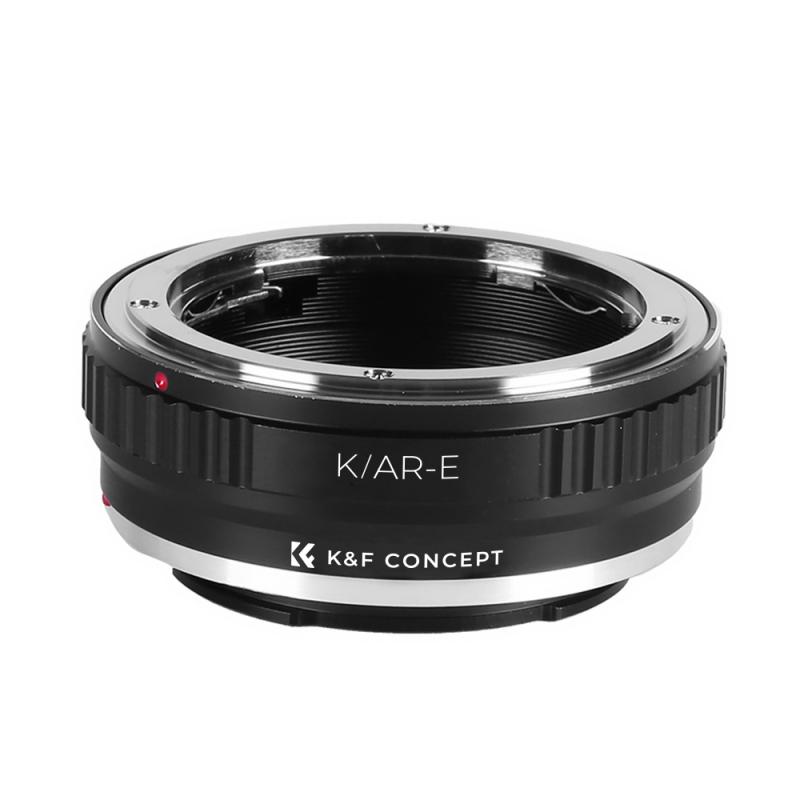
1、 Understanding manual focus on a Nikon DSLR

Understanding manual focus on a Nikon DSLR

Using a manual lens on a Nikon DSLR can be a rewarding experience for photographers who want more control over their focus. While modern DSLRs are primarily designed for autofocus lenses, they still offer the ability to use manual focus lenses. Here's a step-by-step guide on how to use a manual lens on a Nikon DSLR:

1. Mount the lens: Start by attaching the manual lens to your Nikon DSLR camera body. Ensure that the lens is securely locked into place.

2. Set the camera to manual mode: Switch your camera to manual mode by turning the mode dial to "M." This allows you to have full control over the exposure settings.

3. Enable focus confirmation: Some Nikon DSLRs have a feature called "Focus Confirmation" that helps you achieve accurate manual focus. To enable it, go to the camera's menu and navigate to the custom settings. Look for the "AF-S Priority Selection" or "AF-C Priority Selection" option and set it to "Release."

4. Use the focus ring: With the camera in manual mode, turn the focus ring on the lens to adjust the focus. Look through the viewfinder or use the camera's Live View mode to see the changes in focus.

5. Utilize focus aids: Nikon DSLRs often provide focus aids such as focus peaking or digital zoom in Live View mode. These features can assist in achieving precise manual focus.

6. Check focus using the viewfinder: If you prefer using the viewfinder, look for the focus indicator or focus confirmation dot in the bottom of the viewfinder. When the dot lights up or the indicator is centered, it indicates that the subject is in focus.

7. Take test shots: Capture test shots to ensure that your subject is properly focused. Review the images on the camera's LCD screen and zoom in to check for sharpness.

It's important to note that using manual focus lenses requires practice and patience. However, it can be a rewarding experience as it allows for more precise control over focus and depth of field.
Understanding manual focus on a Nikon DSLR

2、 Adjusting aperture settings with a manual lens on Nikon DSLR

To use a manual lens on a Nikon DSLR, you need to follow a few steps to ensure proper functionality and achieve desired results. Here's a guide on adjusting aperture settings with a manual lens on a Nikon DSLR:

1. Mounting the lens: Start by attaching the manual lens to your Nikon DSLR camera body. Ensure that the lens is securely locked into place.

2. Enable manual mode: Switch your camera to manual mode by turning the mode dial to "M." This allows you to have full control over the camera settings, including aperture.

3. Set the aperture ring: On the manual lens, locate the aperture ring. This ring controls the size of the lens opening, which determines the amount of light entering the camera. Rotate the aperture ring to your desired f-stop value. Keep in mind that some manual lenses may not have an aperture ring, in which case you will need to use an adapter with an aperture control ring.

4. Adjust the exposure: With the aperture set, you will need to adjust the shutter speed and ISO to achieve proper exposure. Use the camera's built-in light meter or the histogram to guide you in finding the correct exposure settings.

5. Manual focusing: Since manual lenses do not have autofocus capabilities, you will need to manually focus the lens. Use the camera's focus assist features, such as focus peaking or magnification, to help you achieve sharp focus.

6. Take test shots: Capture a few test shots to evaluate the exposure and focus. Review the images on your camera's LCD screen and make any necessary adjustments to the aperture, shutter speed, ISO, or focus.

It's important to note that using a manual lens on a Nikon DSLR may limit some features, such as automatic exposure modes and lens-specific metadata. However, manual lenses can provide unique creative opportunities and are often favored by photographers for their build quality and optical characteristics.
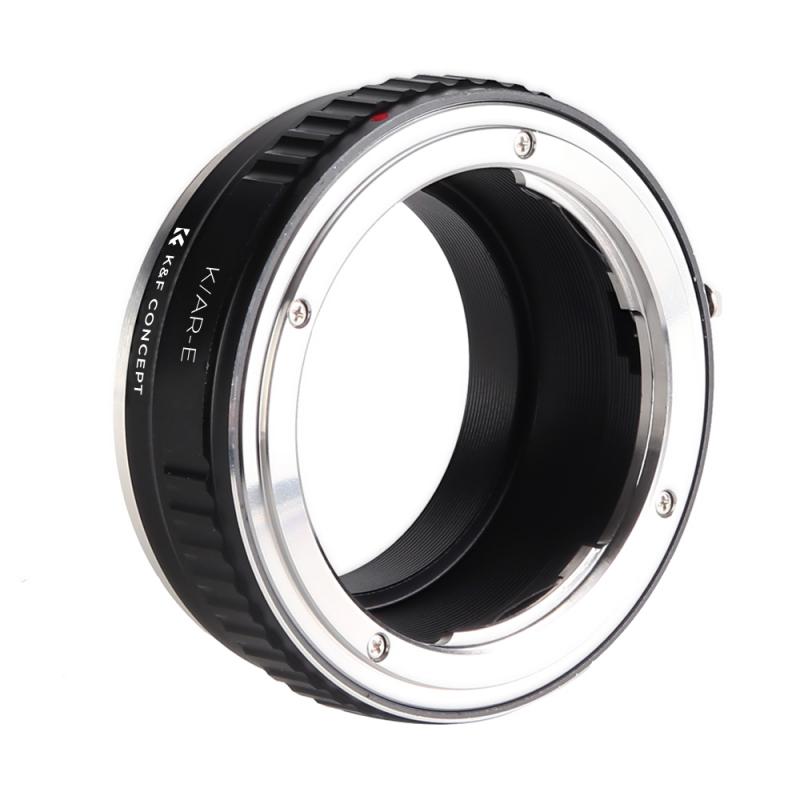
Adjusting aperture settings with a manual lens on Nikon DSLR

3、 Setting shutter speed for manual lens on Nikon DSLR

To use a manual lens on a Nikon DSLR, you need to follow a few steps:

1. Mount the lens: Start by attaching the manual lens to your Nikon DSLR camera. Ensure that the lens is securely mounted and locked into place.

2. Set the camera to manual mode: Switch your camera to manual mode by turning the mode dial to "M." This allows you to have full control over the camera settings.

3. Set the aperture: On most manual lenses, you will find an aperture ring. Rotate this ring to set your desired aperture value. Keep in mind that when using a manual lens, the camera will not be able to control the aperture electronically, so you need to adjust it manually.

4. Focus manually: Since manual lenses do not have autofocus capabilities, you will need to focus manually. Use the focus ring on the lens to adjust the focus until your subject appears sharp in the viewfinder or on the camera's LCD screen.

5. Set the shutter speed: Now, you need to set the shutter speed manually. This can be done by using the camera's control dial or by pressing the shutter speed button and rotating the main command dial simultaneously. Adjust the shutter speed according to your desired exposure.

It's important to note that when using a manual lens, your camera's light meter may not work accurately. Therefore, you may need to rely on trial and error or use an external light meter to determine the correct exposure settings.

In conclusion, using a manual lens on a Nikon DSLR requires setting the camera to manual mode, adjusting the aperture and focus manually, and setting the shutter speed manually as well. It may take some practice to get comfortable with using manual lenses, but it can be a rewarding experience that allows for more creative control over your photography.
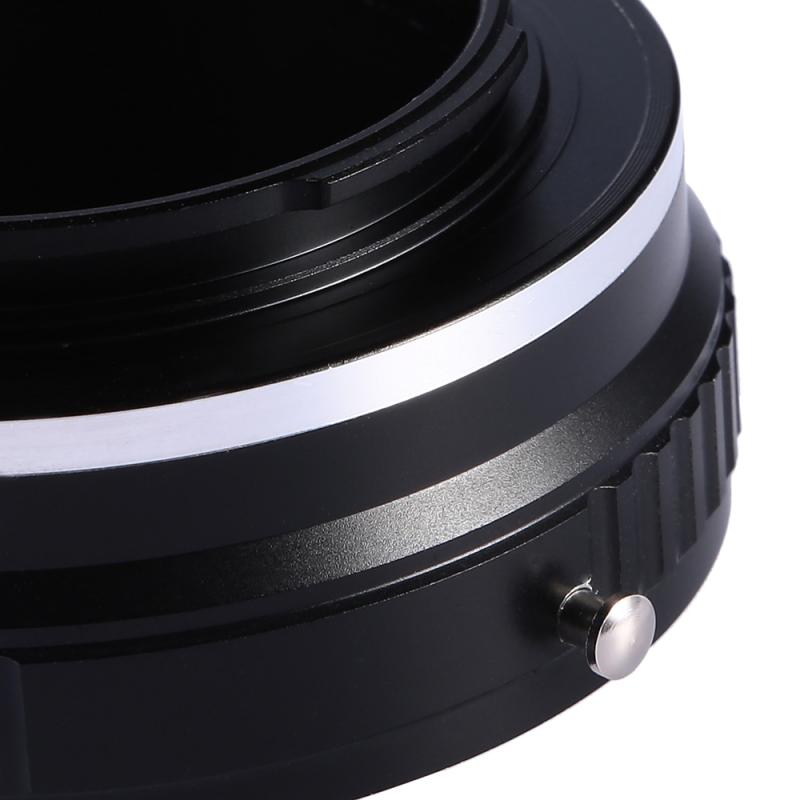
Setting shutter speed for manual lens on Nikon DSLR

4、 Using exposure compensation with manual lens on Nikon DSLR

Using a manual lens on a Nikon DSLR requires a few extra steps compared to using an autofocus lens. Here's a step-by-step guide on how to use a manual lens on a Nikon DSLR:

1. Mount the lens: Start by attaching the manual lens to your Nikon DSLR camera body. Ensure that the lens is securely attached and locked into place.

2. Set the camera to manual mode: Switch your camera to manual mode by turning the mode dial to "M." This allows you to have full control over the exposure settings.

3. Set the aperture: Adjust the aperture ring on the manual lens to your desired f-stop. Unlike autofocus lenses, manual lenses do not communicate with the camera, so the camera won't be able to control the aperture.

4. Set the shutter speed: Use the camera's built-in light meter or an external light meter to determine the correct exposure. Adjust the shutter speed accordingly.

5. Focus manually: Since manual lenses lack autofocus capabilities, you'll need to focus manually. Use the focus ring on the lens to achieve sharp focus. Utilize the camera's focus confirmation feature, if available, to assist you in achieving accurate focus.

6. Take the shot: Once you have set the aperture, shutter speed, and achieved proper focus, press the shutter button to capture the image.

Using exposure compensation with a manual lens on a Nikon DSLR can be a bit tricky. Since the camera doesn't communicate with the lens, the exposure compensation dial won't have any effect. However, you can still adjust the exposure by changing the aperture or shutter speed manually. If you find that your images are consistently overexposed or underexposed, you can compensate by adjusting the exposure settings accordingly.

It's important to note that using a manual lens on a Nikon DSLR requires practice and patience. Manual focusing and exposure adjustments can take time to master, but with practice, you can achieve great results and enjoy the creative control that manual lenses offer.
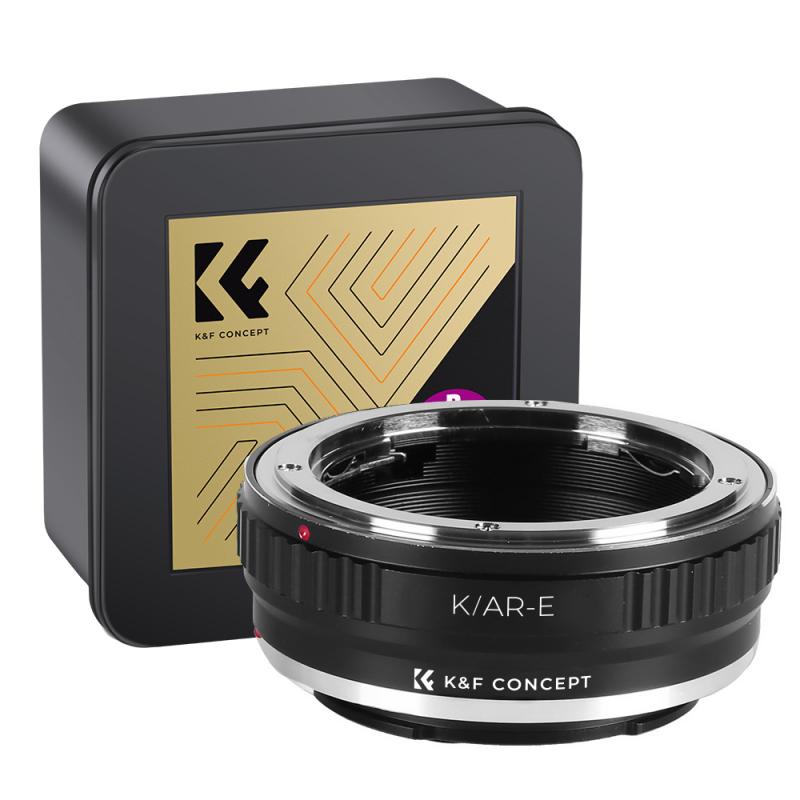
Using exposure compensation with manual lens on Nikon DSLR

Leave your comment
Cancel reply
Note: HTML is not translated!
Related products
K&F Concept NIK(G) to L Mount Adapter, Manual Focus Adapter Compatible with Nikon F (G-Type) Lens to L Mount Camera Body
71
£29.99
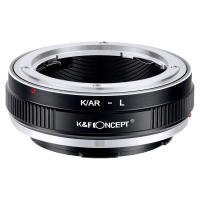
Lens Mount Adapter K/AR-L Manual Focus Compatible with Konica AR Lens to L Mount Camera Body
77
£25.99
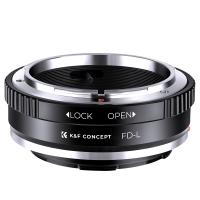
FD to L Mount Adapter, Manual Focus Adapter Compatible with Canon FD FL 35mm Lens to L Mount Camera Body (Canon FD)
90
£35.99 £25.99
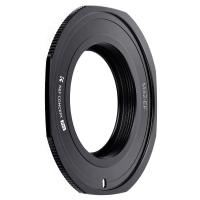
M42 to EF Adapter, Manual Lens Mount Adapter for M42 42MM Screw Mount Lens Compatible with Canon EF EF-S EOS Cameras
90
£27.99 £21.99
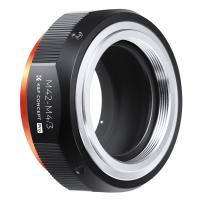
Updated M42 to M4/3 Adapter, Manual Lens Mount Adapter for M42 Screw Mount Lens to Micro Four Thirds MFT M43 Mount Cameras, Compatible with Olympus Panasonic Lumix Cameras
68
£29.99
Updated MD to NEX Adapter, Manual Lens Mount Adapter Compatible with Minolta MD MC Mount Lens and Compatible with Sony E NEX Mount Camera Body
107
£41.99 £32.99
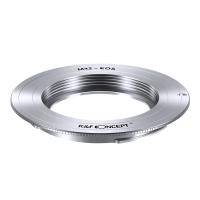
Updated M42 to EOS Adapter, Manual Lens Mount Adapter Compatible with M42 Mount Lens and Compatible with Canon EOS EF EF-S Mount Cameras (Updated M42-EOS)
66
£34.99 £29.99
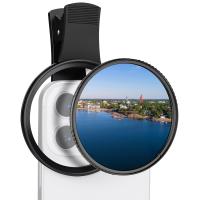
67mm Clip-on CPL Phone Camera Lens Filter Kit Applicable to All Mobile Phone Models
48
£20.42 £18.99
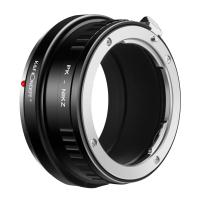
Camera Lens Mount Adapter for Pentax PK Munt Lens to Nikon Z6 Z7 Camera ( PK-Nikon Z)
67
£55.99 £42.99
67mm Clip-on ND2-32 Phone Camera Lens Filter Kit Applicable to All Mobile Phone Models
48
£38.18 £33.99
Guess you like products
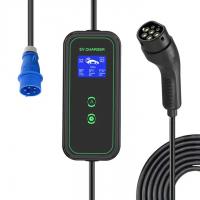
Electric vehicle charging cable, type 2 electric vehicle charger, CEE 3 PIN 32A plug, 32/24/20/16A adjustable current, with digital display, 7.6KW, 5M cable, with storage bag
£268.99 £214.99
58mm Black Diffusion Pro-Mist 1/4 & 1/8 Filter Special Effects Filter Ultra-Clear Multi-layer Coated With Waterproof Scratch-Resistant and Anti-Reflection Nano-Xcel Series
198
£112.99 £89.99
 HC-900A Wildlife Camera with 940nm InfraredNight Vision, 36MP/0.2 seconds Trigger Wildlife Monitoring and Home Security
HC-900A Wildlife Camera with 940nm InfraredNight Vision, 36MP/0.2 seconds Trigger Wildlife Monitoring and Home Security
15
£94.99 £58.99
K&F Concept 2 Pack EN-EL15 EN-EL15A/B Battery Dual Charger with 64G Micro SD Card, EN-EL15 Replacement Battery for Nikon D7000 D7100 D7200 D7500 D850 D810 D800 D800E D750 D610 D600 V1
73
£62.99 £34.99
4K Dash Cam Front and Rear with GPS WiFi Night Vision 24H Parking Mode Kentfaith
13
£106.24 £84.99
Konica Series Lens to Nikon Z Series Mount Camera High Precision Lens Adapter, K/AR-NIK Z
75
£45.99
OBSBOT 4K 60 FPS Webcam for PC with 1/2" Sensor AI Framing & Autofocus Dual Mics Beauty Mode
£174.99 £139.99
Beschoi Leica 28 mm/90 mm M39 Lens to Leica M Camera Body K&F Concept Lens Mount Adapter
£19.99 £15.99
49-77mm Step Up Ring Aviation-grade Aluminum Filter Adapter Ring 2-pack with a Cleaning Cloth
77
£8.99 £6.99
40.5mm MCUV+CPL+ND1000+Adapter Ring Magnetic 4 in 1 Lens Filter Kit Waterproof Scratch-Resistant Anti-Reflection with Filter Pouch
68
£94.99 £79.99
Related articles
How To Use Nikon Lens On Canon ?
How To Use Dslr Lens ?
Can You Use Canon Lens On Nikon ?
Can I Use Nikon Lens On Canon ?
How To Use A Manual Golf Rangefinder ?
How To Mount Lens On Nikon D7000 ?
Can I Use Sony Lens On Nikon Camera ?
Can You Use Nikon Lens On Sony A7iii ?
Can We Use Nikon Lens On Canon Camera ?
How To Wrist Strap For Camera?
Guess you like articles
What Camcorders Output In 4k ?
Which Wireless Security Camera ?
What Kind Of Batteries Do Arlo Cameras Take?
Who Sells Night Vision Glasses ?
How Does A Variable Neutral Density Filter Work ?
Are Gosky Spotting Scopes Any Good ?
How To Connect Earphones To Phone ?
What Is Camera Tripod Mount ?
How Does Monocular Indirect Work ?
What Is A Camera Battery Grip Used For ?
Related categories
Nikon 1 lens adapter​ Nikon Z Mount dslr camera lens DSLR tripod Nikon F Mount Sony E mount adapter Nikon Flash Speedlight DJI Mavic 3 Pro filters​ variable ND and CPL filter​
Popular products
M42 to M4/3 Adapter M42 to EOS adapter camera lens cap nikon canon camera lens cap fujifilm fixed lens camera sony camera lens cap dslr camera lens cap lost camera lens cap nikon sony e mount adapter canon r adapter
Related searches
Manual Lens On Digital Camera Dslr To Mirrorless Lens Adapter Nikon Rangefinder Lens On Dslr Nikon Dslr Camera Lens Nikon Dslr Lens Filters Dslr Lens On Mirrorless Camera Film Camera Lens On Dslr Dslr Lens On Mobile Camera Nikon Dslr To Mirrorless Adapter Nikon D3300 Dslr Camera Lens
Blog Category
  • Camera Reviews
  • News & Reviews
    • News
  • Tutorials
    • Animal Photography
    • Food Photography
  • Inspiration
    • Travel
    • Travel Stories
    • Photography Tricks
Search Article
Latest from the Blog
What Does Led Light Stand For?
Exploring the new Sony A7M5 camera: What are the upgrades and is it worth buying?
How to Clean Carbon Fiber Tripod?
What Is Exposure On Dash Cam?
Where Can You Use a Metal Detector?
How to Attach a Camera Strap: A Step-by-Step Guide for Every Photographer
What Size Binoculars For Hunting?
How To Install Video Surveillance Cameras?
Secure Camera Which Works On Home Wifi?
How To Fix Camera On Tripod Stand?
Powered By K&F Concept © 2025