How To Download Video From Security Camera?
Downloading video footage from a security camera might sound like a mundane task, but it can quickly become crucial in situations where evidence or documentation is required. Whether you’re trying to solve the mystery of the disappearing wallet or reviewing how that unfortunate dent appeared on your car, extracting video data from surveillance systems is no longer rocket science. Let’s dive into the step-by-step process that ensures your investigative prowess stays intact.
Understanding Your Security Camera System
Before you begin panicking over lost data, you should know that the methods involved in downloading security camera footage depend heavily on the type of system you’re dealing with. Whether it's connected to a DVR/NVR, cloud storage, or an IP camera with its own native storage, identifying the setup is step one. Ask yourself these key questions:
1. Do I have access credentials for the camera or storage system?
2. What is the output format of the recorded video (e.g., MP4, AVI)?
3. Where is the footage stored (local hard drive, microSD card, or Cloud)?
Once you've answered these questions, you've laid the groundwork to proceed.
Accessing DVR/NVR Systems
If your security camera system uses a DVR (Digital Video Recorder) or NVR (Network Video Recorder), there’s a good chance the footage is stored physically within these devices. Here's a universal way to retrieve data from such setups:
1. Connect to the DVR/NVR Console: Most systems come with an interface that allows you to log in and browse recorded footage. You may need an HDMI-compatible monitor or the proprietary software to access this.
2. Navigate to Playback Mode: Almost every system includes options for date and time selection. Pick the period of interest (e.g., 5:00 PM to 5:30 PM when chaos unfolded).
3. Export the Desired File: DVRs/NVRs usually come with a thumb drive port or other storage device options. Insert a USB flash drive or external hard disk. After selecting the file, hit the download or export button.
4. File Encoding: Beware! Some DVRs store their footage in proprietary formats (.264 or .dat). You might need conversion software to make the file usable. VLC Media Player often handles these formats with finesse.
Cloud-Connected Security Cameras
Many modern security cameras, such as Ring or Nest, utilize cloud storage for video recordings. This adds convenience, making retrieval straightforward—but only as long as you have valid credentials.
1. Log In to Your Account: Via the app or website associated with your camera provider.
2. Locate the Desired Footage: Usually, cloud storage solutions offer a timeline view or event markers for easy navigation.
3. Download and Save Locally: Most platforms will have a download icon or export option next to the selected clip. These files are typically formatted as MP4 or MOV, which is universally readable.
4. Mind Those Data Caps: Some services limit the length or number of clips you can download simultaneously. Ensure that your subscription plan covers the amount you need before downloading gigabytes of footage.
Direct Access to IP Cameras
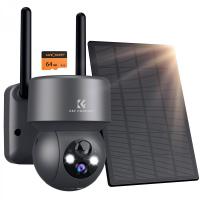
IP cameras are a peculiar beast. They often come with a microSD card slot for local storage or internal flash memory. For those of you venturing into the wild land of raw device access, here’s how to tame the creature:
1. Access the Camera Interface: Most IP cameras can be accessed directly via their IP address. Type the address into your browser (bonus points if you remember the login password from the last time your IT department yelled at you).
2. Find Stored Footage: Navigate its menu to find the video storage. If the footage resides in a microSD card, eject it and use a card reader with your computer.
3. Extract Files: Videos on these cameras are often downloadable as-is. Keep in mind their format compatibility if playback hiccups occur later.
4. Backup Best Practices: Make copies of crucial footage to external drives or cloud storage. Why? Because Murphy’s Law dictates that electronics fail precisely when they’re most needed.
Alternative Methods and Fail-Safes
Sometimes, direct downloads aren’t possible, and improvisation becomes your best ally:
1. Remote Screen Recording: Tools such as OBS Studio can capture a segment of playback directly from your monitor. While not ideal, this can work as a last-ditch effort to document critical moments.
2. Third-Party Apps: Several surveillance systems allow integration with downloadable apps (e.g., CamViewer). Learn the app's controls and settings for extracting data safely, and avoid rogue apps that might compromise system security.
3. Seek Professional Help: When all else fails and the footage resembles hieroglyphics written by extraterrestrials, call your vendor. Vendors can often bypass errors or formats unfamiliar to users.
Avoiding the Classic Rookie Mistakes
1. Don’t Overwrite What You Need: Cameras with limited storage may auto-delete older footage—always back up critical files immediately.
2. Stick to Legal Footing: Don’t download video from third-party cameras unless explicitly authorized. That’s not Sherlock Holmes behavior; that’s “future defendant” behavior.
3. Test Before You Rely: Before an incident occurs, test your camera system to verify that downloads are hassle-free. A poorly configured setup isn’t something you should discover while chasing deadlines.
Troubleshooting
Downloading video from security cameras may not always go smoothly. Here’s how to tackle common issues:
Video Won’t Play: Check the codec compatibility. An error message like “codec unsupported” isn’t a death sentence—use software like HandBrake to re-encode footage.
Slow Downloads: Larger files get bogged down due to a weak network connection. Plug directly into the Ethernet port for faster speeds.
Damaged Footage: If files appear corrupted (probably due to power failures or improper exports), consider recovery software tailored to video formats.
Wrapping Up
Extracting security camera footage isn’t just about technology; it’s about understanding processes, adapting to system quirks, and following best practices along the way. Don’t treat your video data like an easily expendable diary entry—think of it as the backup insurance for the random chaos that life throws your way.
Whether you're planning detective work or simply archiving memorable incidents, these methods ensure you don't miss the mark. Oh, and remember: while surveillance cameras record everything within their lens, they can’t record your excuses if you forget to back up files.