Can You Detach Wire From Ring Security Camera?
Modern security cameras like the Ring often combine aesthetic design with advanced functionality, which begs the question: Can you detach the wiring from your Ring security camera? While the short answer might be “it depends,” this seemingly simple question presupposes a host of technical considerations. Let’s dive deeper into the intricacies of the Ring ecosystem, electrical connections, and the wider implications of modifying these devices.
## First: Know Your Ring Camera Model
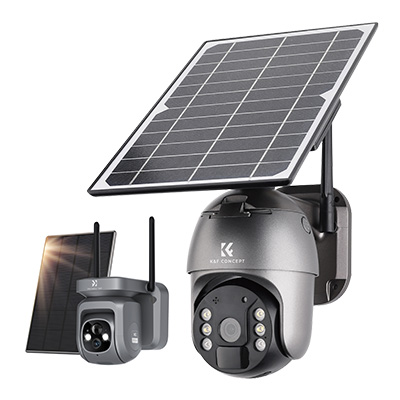
The Ring lineup includes a variety of camera models, and whether the wiring can be detached largely hinges on the device type. Battery-powered models like the Ring Stick Up Cam or Spotlight Cam are cable-free by default; they rely on rechargeable batteries or solar panels. In contrast, wired devices such as the Ring Floodlight Cam or Video Doorbell Pro require a more permanent connection to a power source. Differentiating between battery-operated and hardwired models is crucial, as the stakes — and opportunities for disaster — come into focus when you attempt to tamper with a hardwired device.
For battery-powered models, detaching wires is moot since they don’t feature wires as part of their setup. However, for hardwired devices, the power supply connection is integral to their operation. So if you’re considering modifying your hardwired Ring gadget, you’re asking a bigger question about its electrical framework, warranty, and your willingness to engage in DIY tinkering.
## But… Why Would You Want to Detach the Wiring?
Before diving into the specifics of wire removal, we must ask: What’s your actual goal? Are you upgrading your setup, troubleshooting issues, or replacing the device entirely? These motives significantly impact how — and if — you should proceed with detaching the wiring.
If the idea is to upgrade the system (say, replacing a wired cam with a battery-operated alternative or transitioning to a solar-powered model), that’s a straightforward justification. Removing wires in such scenarios often means you’re taking steps to uninstall the device altogether.
On the other hand, if you’re troubleshooting, it’s essential to know that improper detachment could introduce problems far beyond the original issue. Cutting or otherwise meddling with the wiring may void warranties, create electrical hazards, or even permanently damage the device. Sudden disconnection from power also risks corrupting firmware updates or memory retention.
## Detachment Process: Proceed with Caution
Assuming you’ve weighed the pros and cons and are ready to proceed, let’s focus on the process. The approach varies depending on whether the device integrates directly into household wiring or connects via an adapter.
Hardwired Installation: The Complex Case

For devices tied directly into your home’s electrical system, these steps require precision and adherence to safety protocols:
1. Power Off the Circuit: Locate the relevant breaker on your panel and turn it off. *Never* work with live wires.
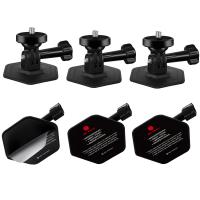
2. Disconnect the Camera Mount: For most hardwired Ring cameras, you’ll need to unscrew the mounting and gently access the wiring behind the device.
3. Understand Wire Coding: Household wiring often involves three standard wires — live (black), neutral (white), and ground (green or bare copper). Identify these before detachment.
4. Remove Wire Nuts/Sockets: Carefully unscrew or disconnect any fasteners keeping the wires linked.
5. Detachment: Gently pull the wires apart. Ensure no exposed ends are left hanging; cover them with wire nuts or electrical tape.
6. Test Post-Detachment: Once the camera is removed, confirm that the circuit operates correctly without the device.
Adapter-Fed Cameras: Simpler Work
If the camera connects through an adapter (e.g., USB or standard AC), your detachment process is much less involved. Unplugging is typically effortless; remove the adapter from its wall socket, and your device is wire-free in seconds. However, note that these models might also include internal battery backup systems active while unplugged.
Risks Involved

Tampering with a wired camera expands your responsibilities far beyond the typical plug-and-play consumer relationship. Missteps can lead to permanent internal damage, voided warranties, electrical fires, or poor reintegration with future systems. If your wiring feels beyond your technical skillset, don’t hesitate to call a professional electrician rather than risk catastrophe.
## Post-Detachment Considerations
After physically unlinking your Ring camera’s wires, you might not be entirely “done.” Keep these points in mind:
Reinstallation Plans: If you plan on reusing the camera in another location, preserve all mounting equipment and ensure wiring remains intact. Label wires if necessary to avoid future confusion.
Firmware Updates: Verify that the device’s software has been properly updated before removing it. Some Ring models leverage firmware updates to optimize connectivity; failure to update might lead to compatibility issues later.
Resale or Recycling: If you’re saying goodbye to the device permanently, follow e-waste protocols. Many manufacturers, including Ring, offer recycling programs to safely dispose of old equipment.
## Alternatives: Say Goodbye to Wiring Altogether
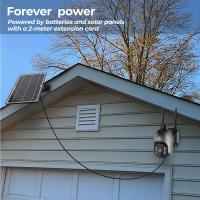
If dealing with wires feels cumbersome, Ring provides wireless alternatives that sidestep these concerns entirely. Models like the battery-powered Stick-Up Cam or solar-powered accessories eliminate your reliance on electrical wiring, granting you greater flexibility in installation. These solutions make relocation, removal, or upgrades a non-issue.
Moreover, opting for wireless solutions doesn’t mean sacrificing functionality — modern battery-powered devices feature live footage streams, motion detection, cloud integrations, and even two-way audio capabilities. Sure, you'll need to recharge or replace batteries occasionally, but that feels trivial compared to managing a direct electrical connection.
## The Bigger Picture: Wired vs. Wireless Debate
The decision to detach wiring often circles back to personal preference between wired or wireless solutions. Wired devices offer consistent power, eliminate battery-dependence, and often support higher-end functionalities. However, they can feel restricting in terms of mobility and require more rigorous installation processes.
Wireless devices embrace portability and simple setup, though they bring their trade-offs (e.g., shorter battery lifespan or less robust connection in areas with poor signal). Each setup serves unique needs, so choosing between the two involves examining your priorities and physical environment.
## Final Thoughts
While it is certainly possible to detach the wiring from your Ring security camera, that path is paved with technical challenges, safety precautions, and follow-up considerations. Whether you're performing a simple unplugging or navigating the complexities of a hardwired configuration, always prioritize caution and professional assistance if needed. Before sweet-talking your screwdriver into starting the job, ask yourself whether the end justifies the risks, complexities, and effort involved.
So, can you detach wiring from your Ring camera? Absolutely. Should you do so? Well, that's entirely up to you (and possibly your insurance policy).