Can Wifi Camera Work Without Internet?
In the age of relentless innovation, Wi-Fi cameras have redefined how we monitor, secure, and interact with our environments. The notion of connecting everything seems integral to modern tech phenotypes, but there comes a question that often leaves the “tech-savvy” scratching their heads: Can a Wi-Fi camera work without internet?
Spoiler alert—yes, they can. But let’s unpack this labyrinthine mystery with the finesse it deserves. Whether you’re a privacy-centric homeowner refusing to upload sensitive footage to the cloud or someone simply grappling with bad internet service, understanding how Wi-Fi cameras can operate autonomously unveils the flexible marvel of IoT devices.
Wi-Fi Isn’t Synonymous with Internet
First things first: Wi-Fi cameras are quite misunderstood. People often equate Wi-Fi cameras with being perpetually dependent on the internet. However, Wi-Fi is essentially just a wireless communication technology. It enables devices to talk to one another on a local network. The “internet,” on the other hand, connects these devices globally, allowing data to flow across continents and, ironically enough, get intercepted by questionable entities if not encrypted properly.
But herein lies the insight derived from Wi-Fi itself—if the wireless technology allows devices to link locally, your camera doesn’t necessarily need the internet to work. Instead, it can connect directly to your smartphone, tablet, or even a PC through the same Wi-Fi network, creating a small-scale but highly effective hub.
The Scenarios Where Wi-Fi Cameras Shine Without the Internet

There are multiple cases where your trusty camera steps up to perform without hitching a ride on the internet highway. Let’s dive deeper into its modus operandi:
1. Local Storage Systems

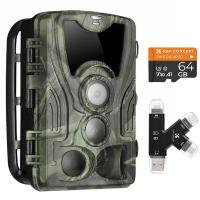
Many Wi-Fi cameras come equipped with slots for SD cards or hard drives—which can be a lifesaver when offline functionality is crucial. When the camera records footage, it stores it directly on these media. Later, you can retrieve the stored data and transfer it to your computer or external storage. Sure, you won’t have instant notifications pushed to your phone, but at least you can sleep comfortably knowing the footage is safely secured nearby.
Bonus point? You sidestep annoying cloud subscription fees.
2. Direct Device-to-Camera Connection

Imagine this: You’ve set up a camera to monitor your baby’s room, a vacation rental, or your quaint little backyard where the squirrels run a caffeine-fueled relay race every morning. If your camera supports "Direct Wi-Fi" or allows peer-to-peer connections, your smartphone or tablet can connect directly to the gadget without any intermediary like a router. You can then view live footage or interact with its settings all within your local range.
This functionality works seamlessly for small-scale surveillance needs—you’re essentially engineering a private line between you (the human splinter cell operator) and your camera.
3. Utilizing a Local Area Network (LAN)

If you’ve got a router but no internet, you can still create a LAN network. Here, your Wi-Fi camera connects via the router to reach other devices on the network. While the footage won’t be beamed across space and time to your phone in Bali, it’ll still be accessible locally. Think of LAN networking as building a fortress with cameras where you’re the sole gatekeeper.
4. Web Interfaces
Specific cameras offer web-based settings accessible via a browser. If your device supports something like an internal IP address, you could simply type this into any connected device's browser and interact with the camera. Again, no internet required, just Wi-Fi magic happening locally.
Features That Play Well Without Internet
To get the most bang for your buck—or to sound impressively informed when picking your next Wi-Fi camera purchase—familiarize yourself with these features that make offline functionality a breeze:
1. Motion Detection
Even when disconnected from the internet, Wi-Fi cameras can provide motion-triggered functionality. Many cameras automatically begin recording when they detect movement. Even if you’re face-palming over your ISP’s latest outage, the footage continues to get saved locally, ensuring you don’t miss out on events.
2. Two-Way Audio
Certain models can switch to local two-way audio channels via Wi-Fi, allowing you to spook intruders or sweet-talk your pets into behaving—all without ever requiring internet connectivity.
3. Remote Viewing Within LAN
As long as you’re within network bounds, many cameras let you stream live footage directly from their app or web interface.
4. Automation Features
Some cameras follow pre-programmed commands regardless of internet availability. For example, a pan-and-tilt camera might continue scanning predetermined zones even offline.
The Limitations of Internet-Free Operation
Not to rain on the parade, but let’s have a grounded perspective on some trade-offs when opting for offline use:
1. No Remote Access
Without internet, you effectively lose the ability to check footage from remote locations. This means no dropping in at work to see whether your pup has chewed the furniture again.
2. Absent Cloud Backups
Offline operation implies no immediate backups. If your SD card corrupts or your hard drive suffers a critical failure, footage retrieval becomes a game of heartbreak.
3. Feature Restrictions
Some advanced features like AI-based recognition, smart alerts, and integration with other apps might rely on the web to function optimally.
Top Recommendations for Offline-Friendly Cameras
For those geared toward offline functionality, here are a few camera types and brands that deliver admirably:
1. Arlo Go - Known for its ability to work offline using mobile LTE rather than relying on traditional Wi-Fi networks. (A handy loophole when “internet” technically isn't an option.)
2. Reolink Argus 2 - Packing SD storage and offline viewing capabilities: ideal for outdoor setups and areas where connections fade into oblivion.
3. Wyze Cam v3 - Extremely budget-friendly and an enthusiast’s favorite, well-suited for local recording and playback on a private network.
The Verdict
The notion of Wi-Fi cameras functioning sans internet is like discovering that your tech-dependent soul has a simpler, zen state. Yes, internet-enhanced use opens up a world of convenience, but there’s a robust layer lurking beneath—enabling excellent offline functionality for those who need it.
Whether it’s shunning cloud surveillance systems to preserve privacy, dealing with spotty connections, or purely an experiment in tech adaptation, Wi-Fi cameras can pull their weight brilliantly without needing internet. The capabilities might be slightly limited, but trust me—you’ll still relish having that security blanket handy, while also quietly smug about your mastery over local network magic.
So go ahead, tame that Wi-Fi icon blinking ominously and make it work for you offline. After all, who needs global surveillance when your backyard squirrels are the real stars, ready for a close-up?